
Keeping certain webpages up to date often requires frequent manual reloads, especially when tracking live data or time-sensitive updates. With auto refresh in Chrome, pages can reload automatically at set intervals, helping you monitor changes like price updates, new listings, or dashboard data without constant interaction. Using a reliable auto-refresh Chrome extension makes this process consistent, hands-free, and efficient.
Auto refresh on Chrome allows a webpage to reload automatically at fixed or custom time intervals. Instead of clicking the refresh button repeatedly, a browser extension handles the process for you.
Using a reliable auto refresh extension, you can:
Chrome does not offer built-in auto refresh functionality, so extensions like the Auto Refresh Chrome Extension by Extfy are the most effective solution.
Manual refreshing is inefficient and easy to forget. An auto-refresh Chrome extension ensures consistent updates without interruptions.
Common use cases include:
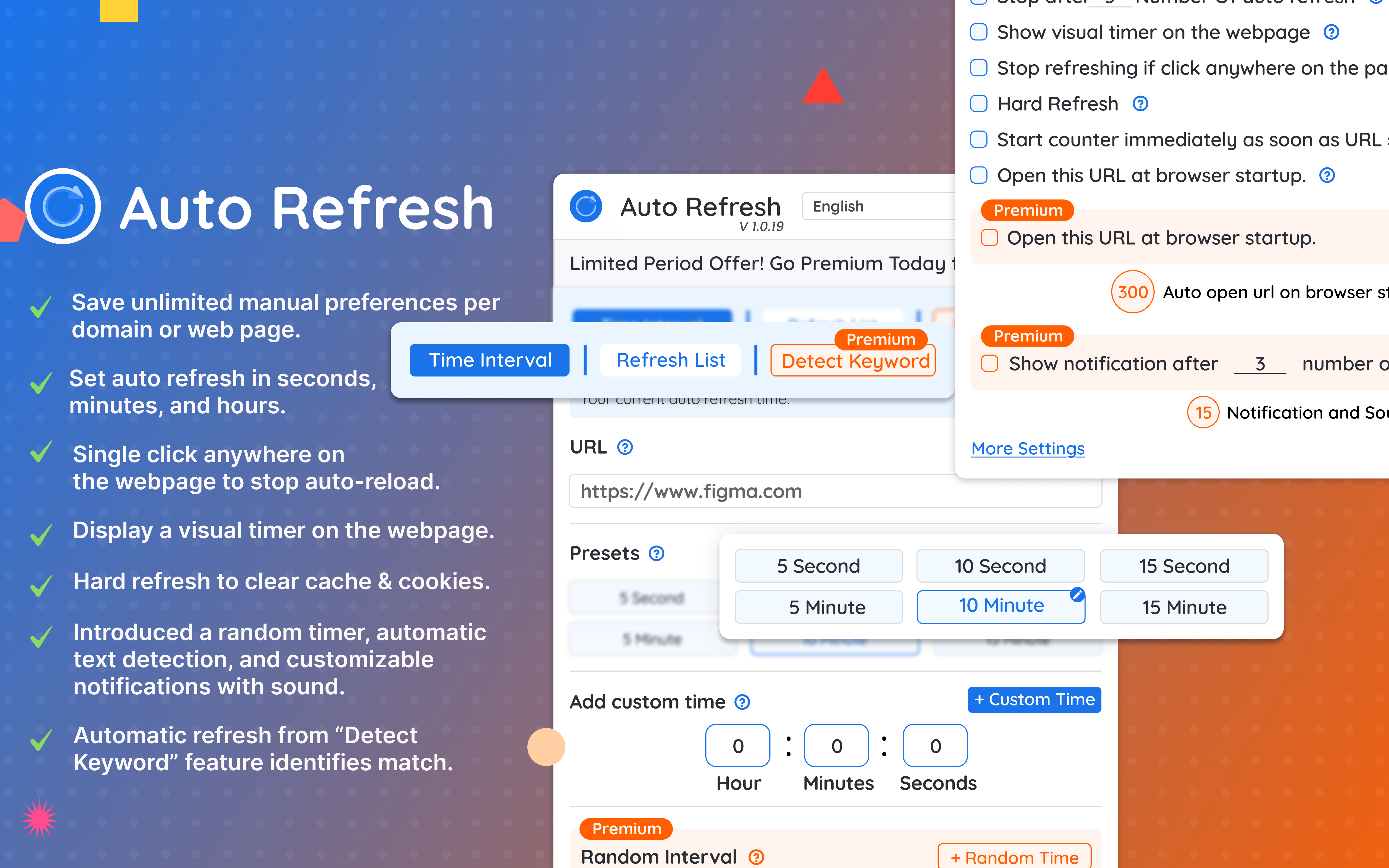
The Extfy Auto Refresh Page extension is designed for both beginners and advanced users, offering flexible controls and performance-friendly refresh options.
Also Read: https://auto-refresh.extfy.com/en/auto-click-detection.html

Launch Google Chrome, click the three-dot menu (top right), go to Extensions → Visit Chrome Web Store, or open the Chrome Web Store directly.
In the search bar, type "Auto Refresh Page" and choose a trusted option like Auto Refresh Page by Extfy.
Click Add to Chrome, then confirm by selecting Add Extension in the pop-up.
Click the Extensions (puzzle) icon in the toolbar and pin the auto refresh Chrome extension so it's always visible.
Click Save. The page will begin refreshing automatically based on your selected time interval.
You can stop auto refresh at any time by:
If you’re using Firefox, you can also enable auto refresh Firefox by following this step-by-step guide to automatically refresh pages in the Firefox browser.
These practices help maintain browser performance and avoid unnecessary reloads.
Using Auto Refresh on Chrome with the Extfy check the more features of Auto Refresh Page Chrome Extension is a practical way to monitor updates, save time, and improve browsing efficiency. With customizable intervals, page monitoring, notifications, and multi-tab support, it works well for beginners and advanced users alike.
By following the steps in this guide, you can set up auto refresh quickly and use it effectively across different websites without manual effort.
Auto Refresh Page - Reload Pages Automatically & Page Monitor Easily by Extfy is a reliable option with flexible controls, page monitoring, and performance-friendly settings.
Chrome does not have a built-in auto refresh feature. To automatically refresh a page, install an auto refresh Chrome extension like Auto Refresh Page by Extfy, open the target webpage, set a refresh interval, and save the settings.
Chrome itself does not auto-refresh pages. If a page is refreshing automatically, it is usually caused by a browser extension, website scripts, network reconnects, or session-based updates. You can check installed extensions to identify the source.
You can refresh a page without clicking by using an auto-refresh extension. Once enabled, the extension reloads the page automatically at fixed or custom intervals without any manual action.